Tracker
Look up the journey of a specific email or calendar event through Nektar's pipeline — understand why it was or wasn't synced to Salesforce.

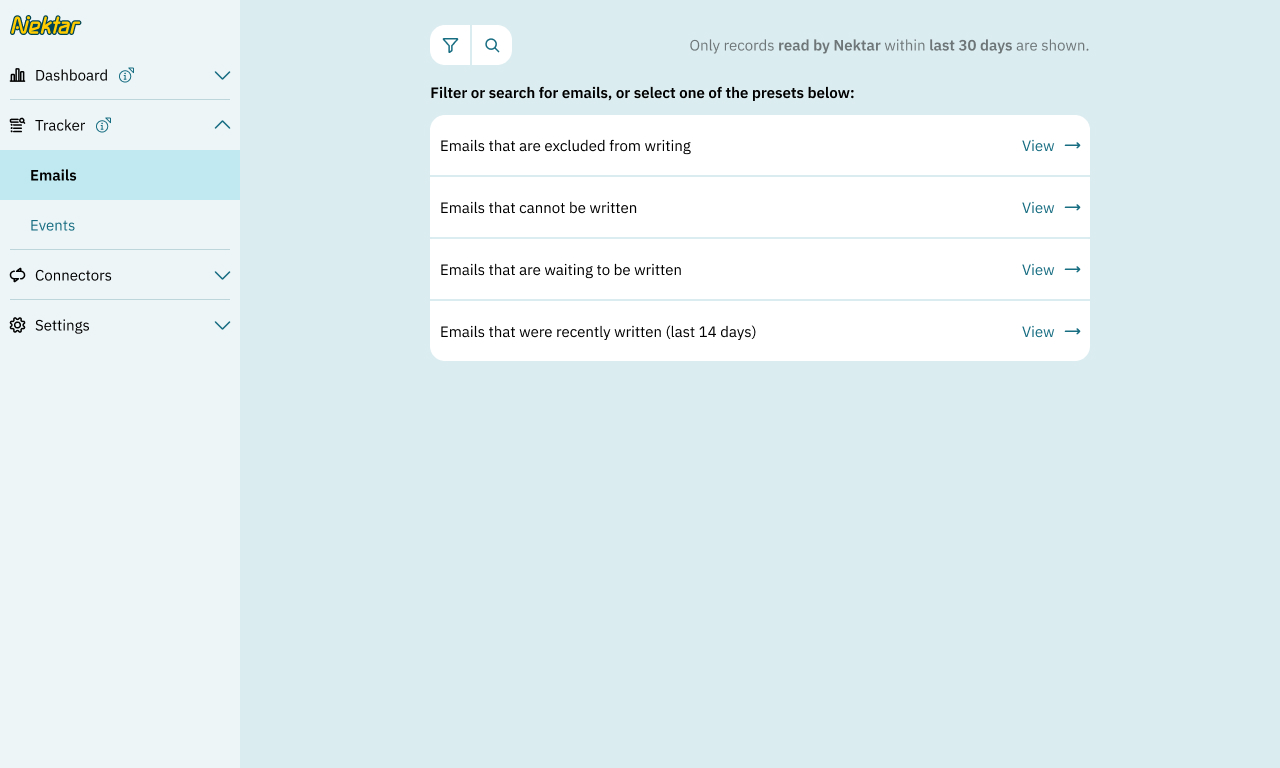
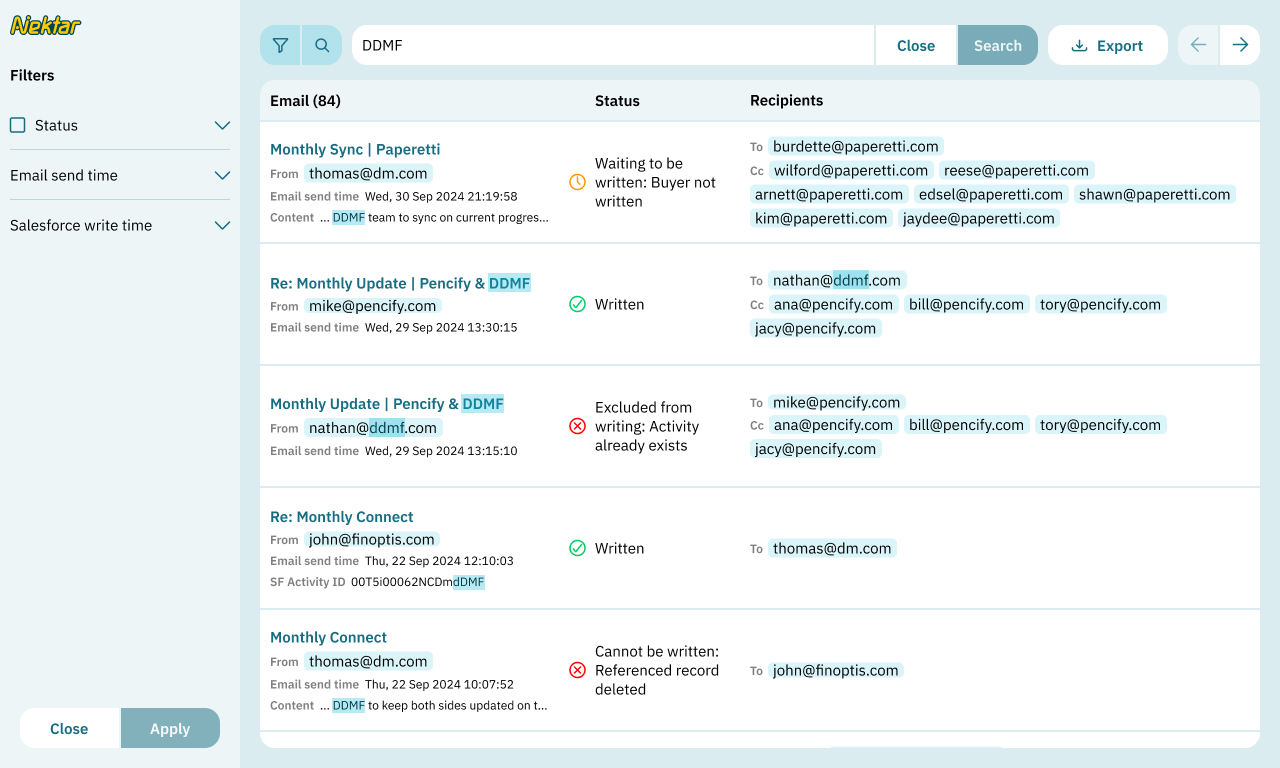
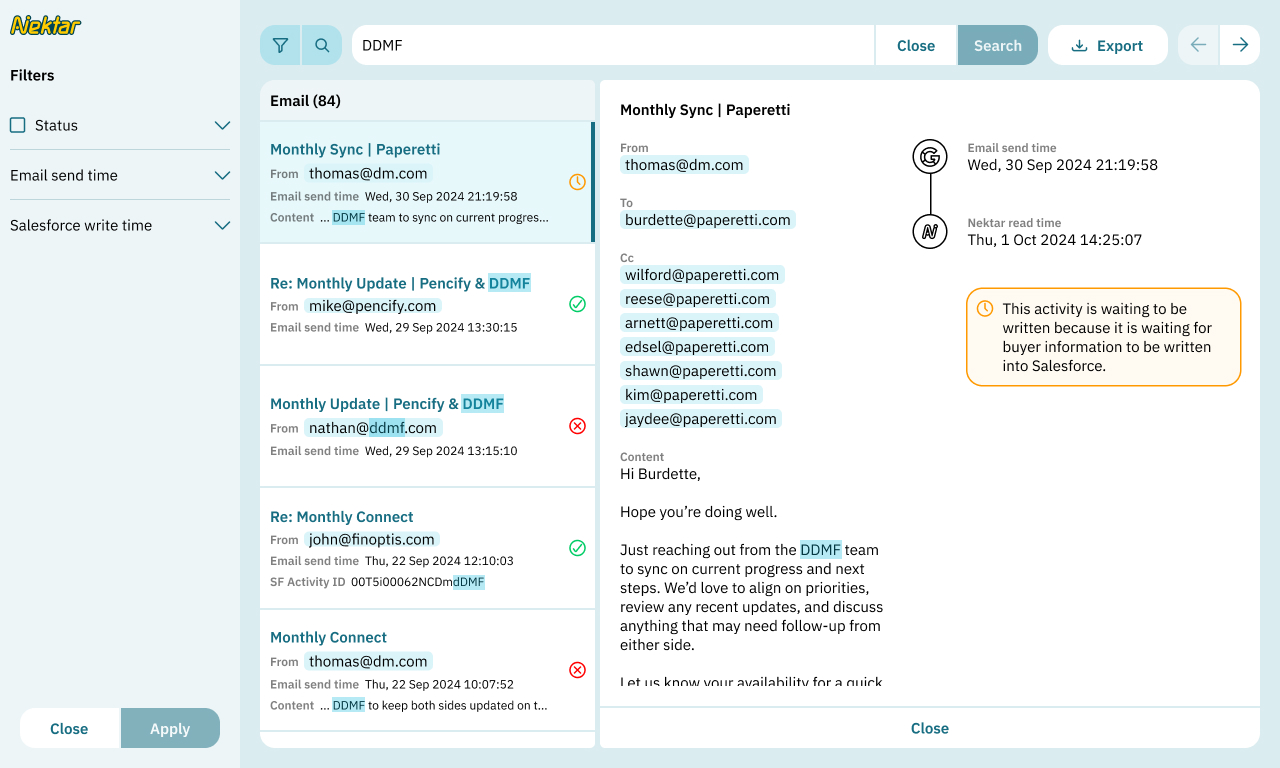
Tracker lets you look up the path of a specific activity through Nektar’s data processing pipeline. It helps understand why Nektar might have excluded a certain activity from Salesforce.
You may search for an event or email by keywords in its subject line and/or the email addresses of participants.
No results?
An activity that was read by Nektar might not show up in the tracker for two reasons:
- It is outside the time window: the tracker only displays activities that were read by Nektar more than 2 hours ago but less than 30 days ago.
- The activity was filtered out by a read rule.
Result details
Click an item in the results to see detailed information about its journey, including:
| Source user | The person from whose mailbox or calendar the activity was read. |
|---|---|
| From, To, Cc Organizer, Attendees Body / Details |
Activity information |
| Send time | When an email or event invitation was sent or received at Google Workspace / Microsoft 365 |
| Nektar read time | When Nektar fetched this activity from Google Workspace or Microsoft 365 |
| Nektar write time | When Nektar wrote this activity to Salesforce |
| Status | Whether the activity was written to Salesforce, and if not, why |
| Salesforce activity, account and opportunity | Deep links into Salesforce to view the activity and the records it’s linked to. |